Fork a Codex conversation
Forking starts a new Task that begins with a copy of an existing Codex conversation. The original conversation stays as it is. Only Codex conversations can be forked.
Fork a Task
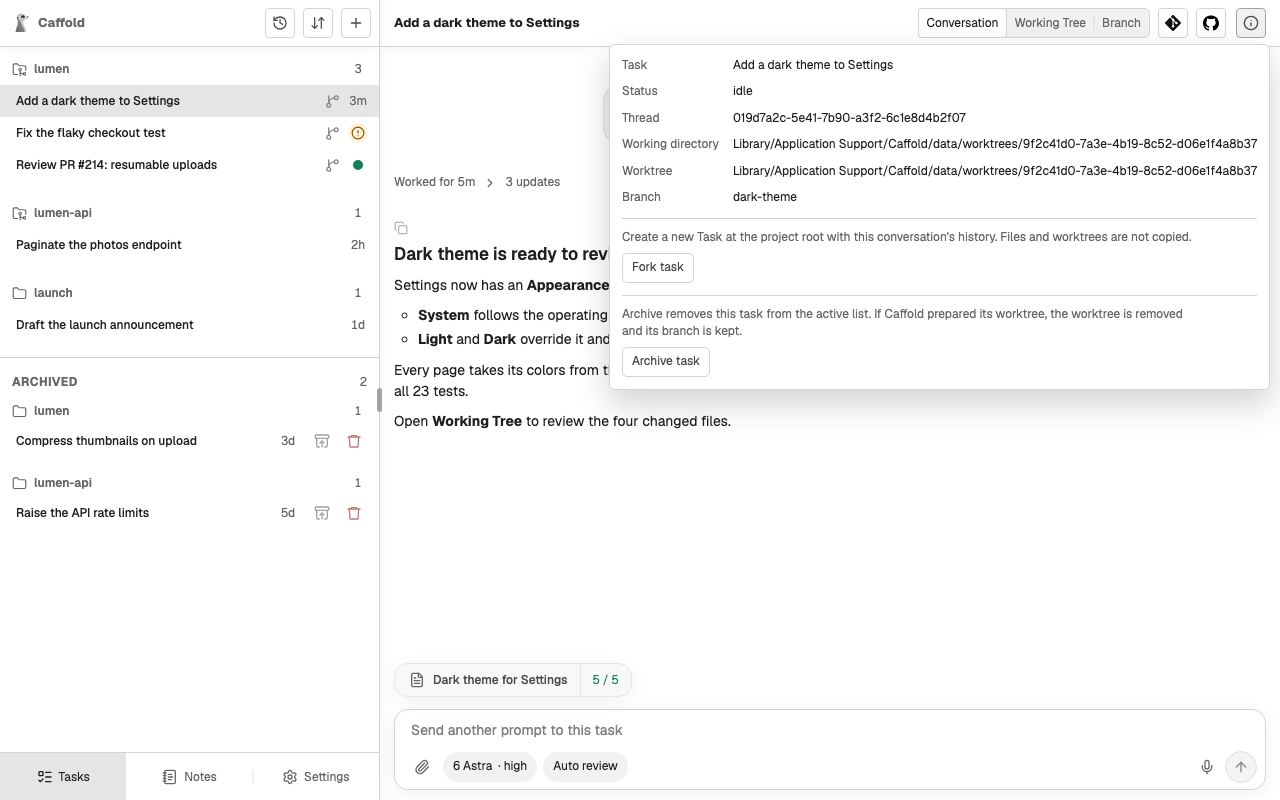
Open an idle Codex Task, choose Task details at its top right, and choose
Fork task. The new Task, named Fork of …, opens in the same Section.
Fork a conversation from outside Caffold
A Codex conversation started elsewhere, for example in the Codex CLI, can continue in Caffold as a fork:
- Select a Section to open it.
- Under Existing conversations, choose Fork from Codex thread ID.
- Enter the conversation's Thread ID, or paste a
codex://threads/…link, and choose Preview thread. - Check the preview: its name, summary, status, working directory, and recent messages.
- Choose Fork task.
The fork starts in the Section's directory. A conversation that is still running cannot be forked; a conversation Codex has not loaded shows Live status unavailable and can still be forked from its saved history.
What a fork copies
A fork copies the conversation history, which Codex keeps. It does not copy files, uncommitted changes, branches, or worktrees; the new Task can move into a worktree like any other.