Work from a plan
For longer work, an agent can keep a written plan in the Task's working directory, and Caffold shows its progress above the Composer. It works the same with every agent, and every agent is told about it, so you only have to ask for a plan:
The two files
A current plan is two ordinary Markdown files, relative to the Task's working directory:
PLAN.mdholds the plan in any form. Its first#heading is the plan's title.CHECKLIST.mdholds a task list in any form. Every- [ ]and- [x]item in it counts toward the progress, wherever it sits in the file.
Follow the progress
While both files are there, the Task shows the plan's title and a count such as 3 / 5 above the Composer. The count updates as the agent edits the checklist.

Choose the title to read PLAN.md, or the count to read CHECKLIST.md; the
checkboxes there are for reading only.
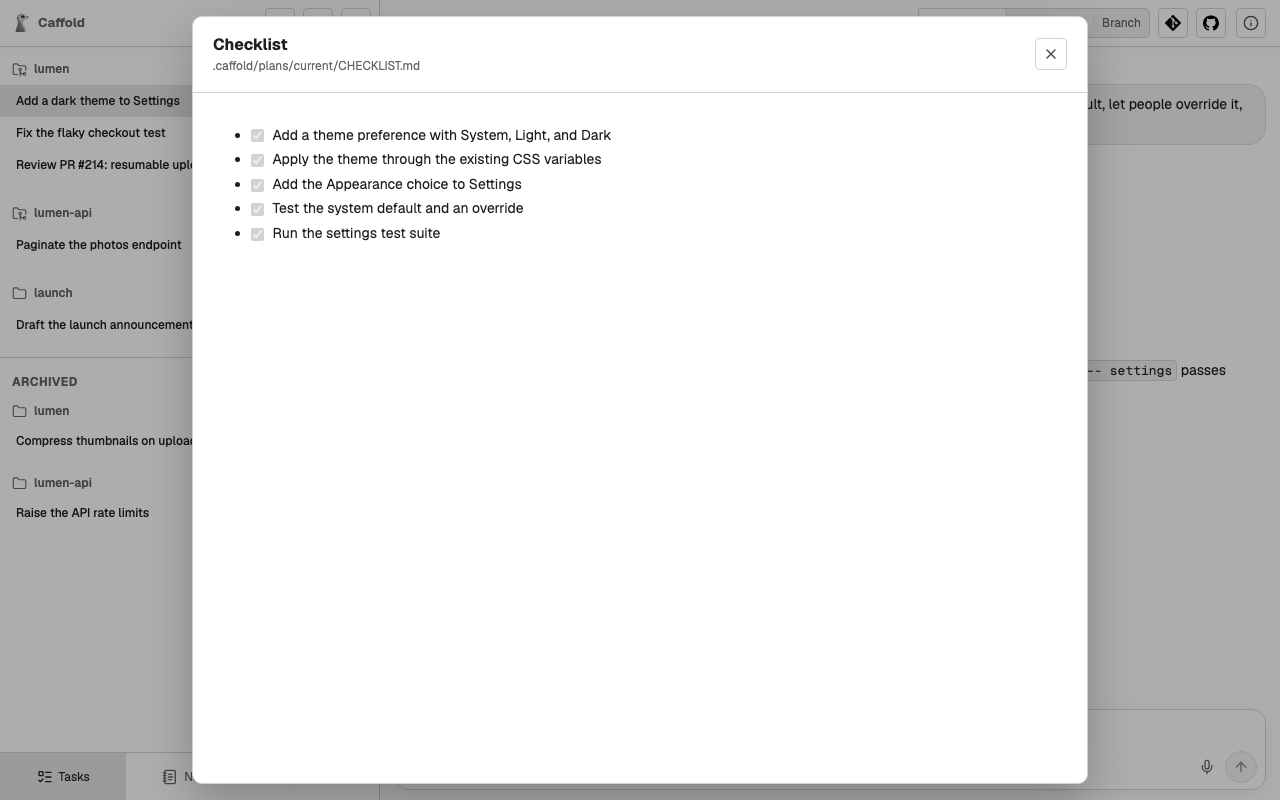
If one file is missing or cannot be read, the same place shows a warning, such
as CHECKLIST.md missing, instead of a count. Choose it to see the problem.
When the plan is done
A finished checklist does not end the plan: it stays current while both files
exist. Ask the agent to move or delete them when you are done. Caffold never
moves, deletes, or edits them, and does not change .gitignore for them. In a
Caffold worktree, untracked plan files keep the Task from being
archived, and ignored ones are removed with
the worktree.