Git
The Git button, with the Git logo, at the top of a Task or a repository Section opens a menu with Compare and Log. Everything there is read-only.
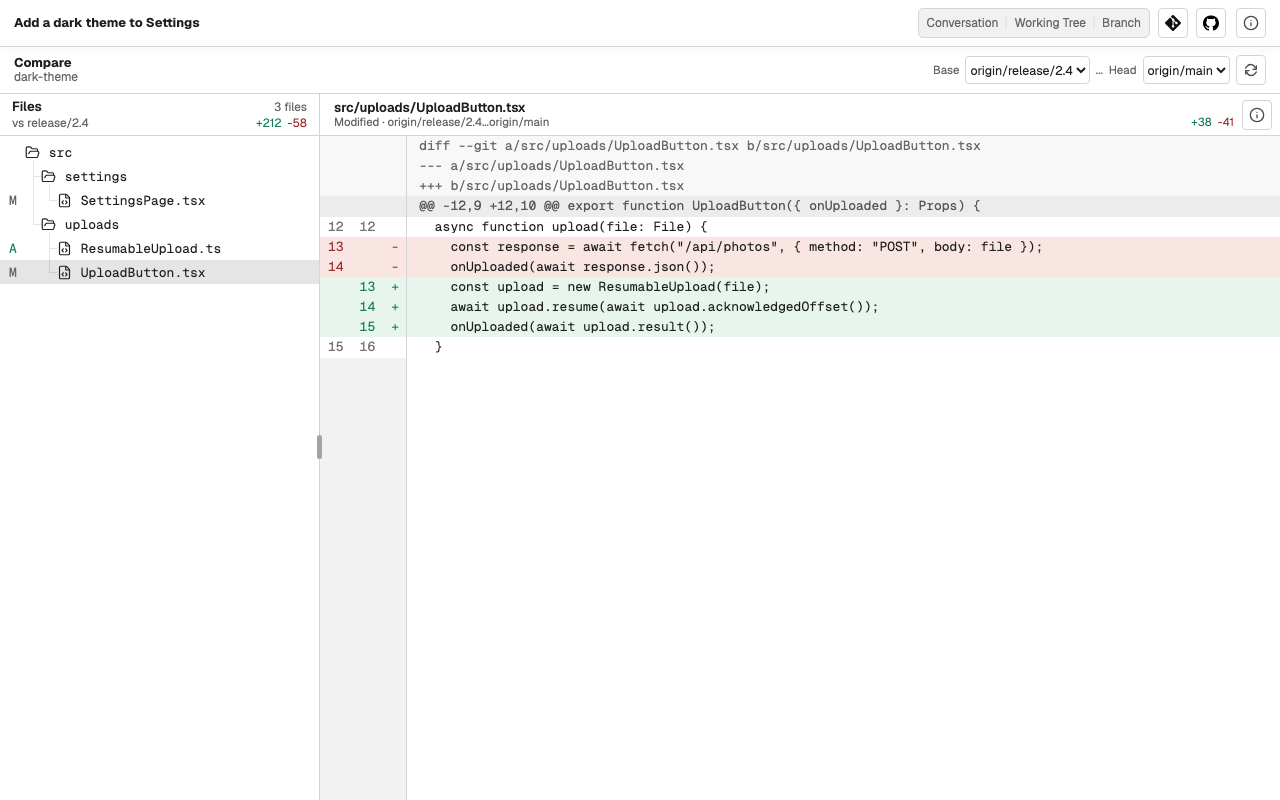
Compare
Compare shows the files that differ between any two refs, a Base and a Head, and the diff of each file. Neither ref has to be the Task's current branch.
Log
Log lists the commits of the current branch, a page at a time. Open a commit to see its changed files and their diffs; Back to log returns to the list.
The refresh button in Log, Fetch remote, updates the remote-tracking copy of the default branch, so you can see how far your branch is ahead of or behind it. Caffold never fetches on its own.
What Git does not do
Caffold does not stage, commit, check out, merge, rebase, reset, stash, or push. Ask the Task's agent to do it, or use your own Git tools; the views here show the result.