Caffold · self-hosted on your Mac
Leave your desk. Keep working.
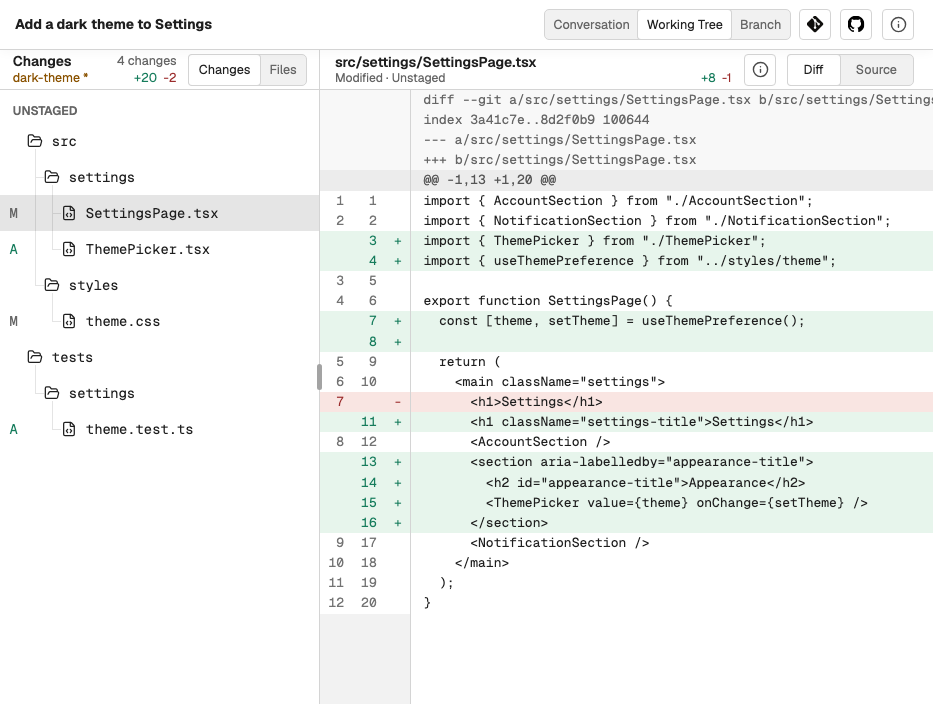
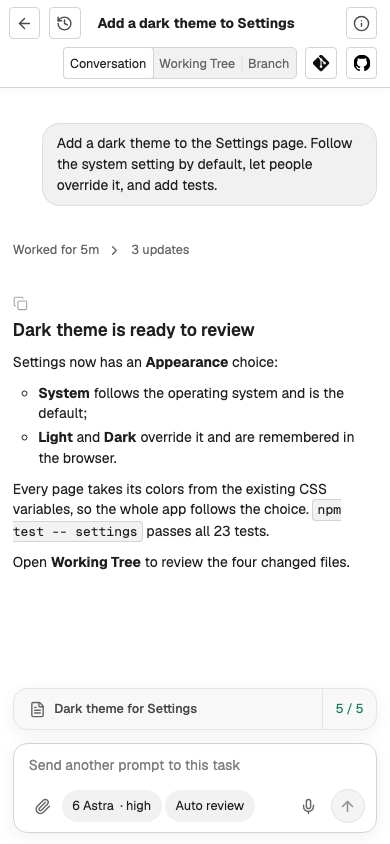
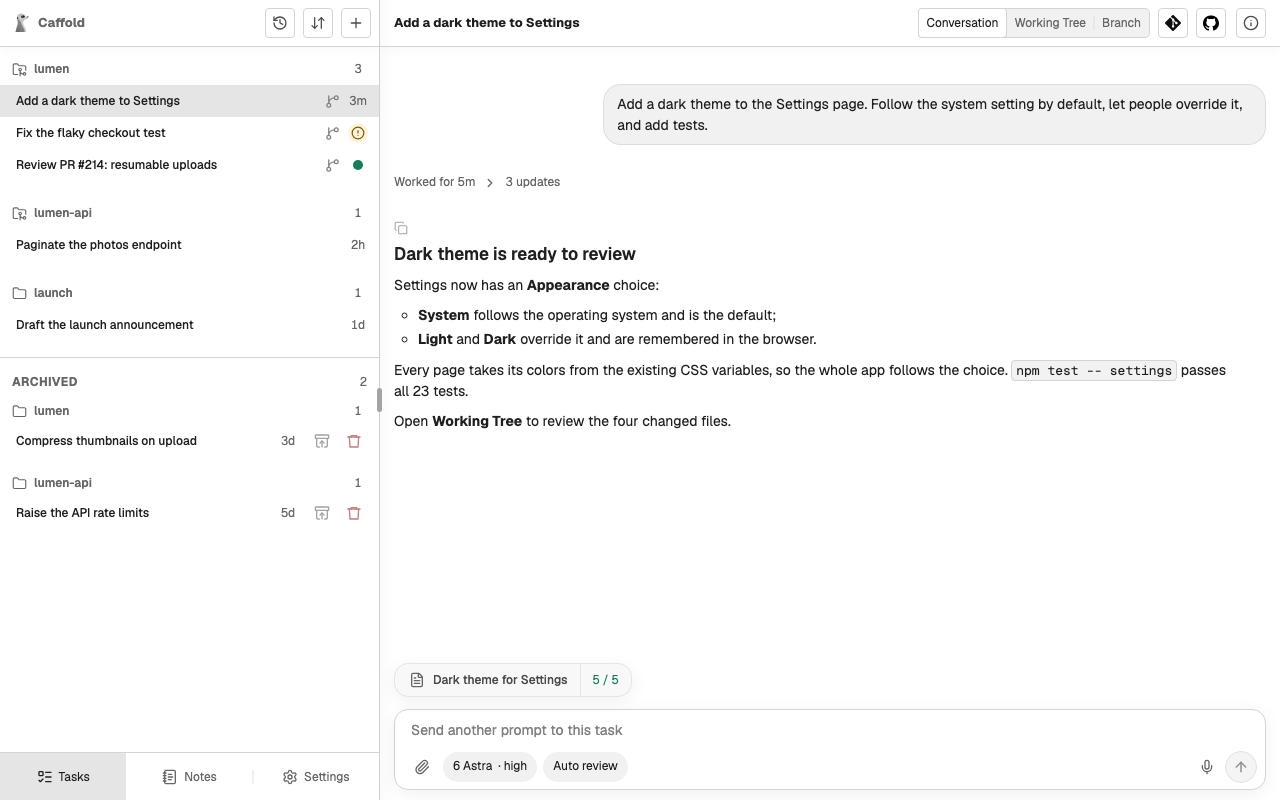
Codex, Claude Code, and Grok run on your Mac. From a desktop, a tablet, or a phone, follow their work, answer their approvals, read the actual diff, and send the next instruction. Unfold a foldable, and you have the whole workspace.
The loop stays with you
01
Ask
Start a Task where the work belongs, choose a Codex, Claude, or Grok model, and describe the work, with files or screenshots if they help.
02
Follow
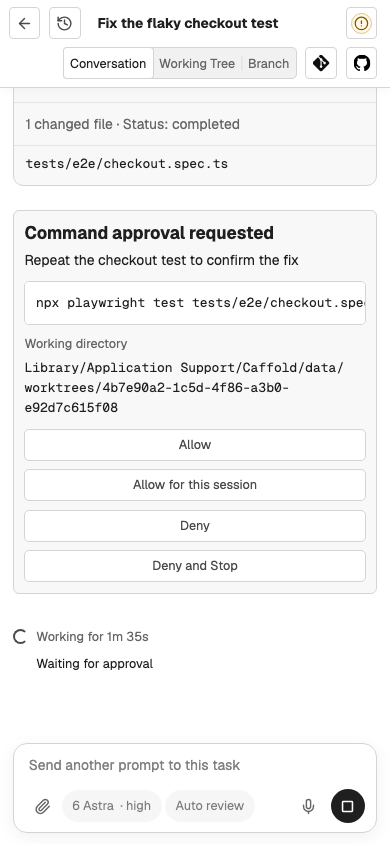
Watch the conversation as it happens and answer the agent's approval requests while it works.
04
Continue
Say what comes next, from a fix to a commit, a worktree, or a Note. Steer a running turn, or pick up the same Task later.
The agents you already use
Caffold does not reimplement the agents. It runs each one you have installed, with its own sign-in, models, approval modes, and conversation history.
Read the real changes
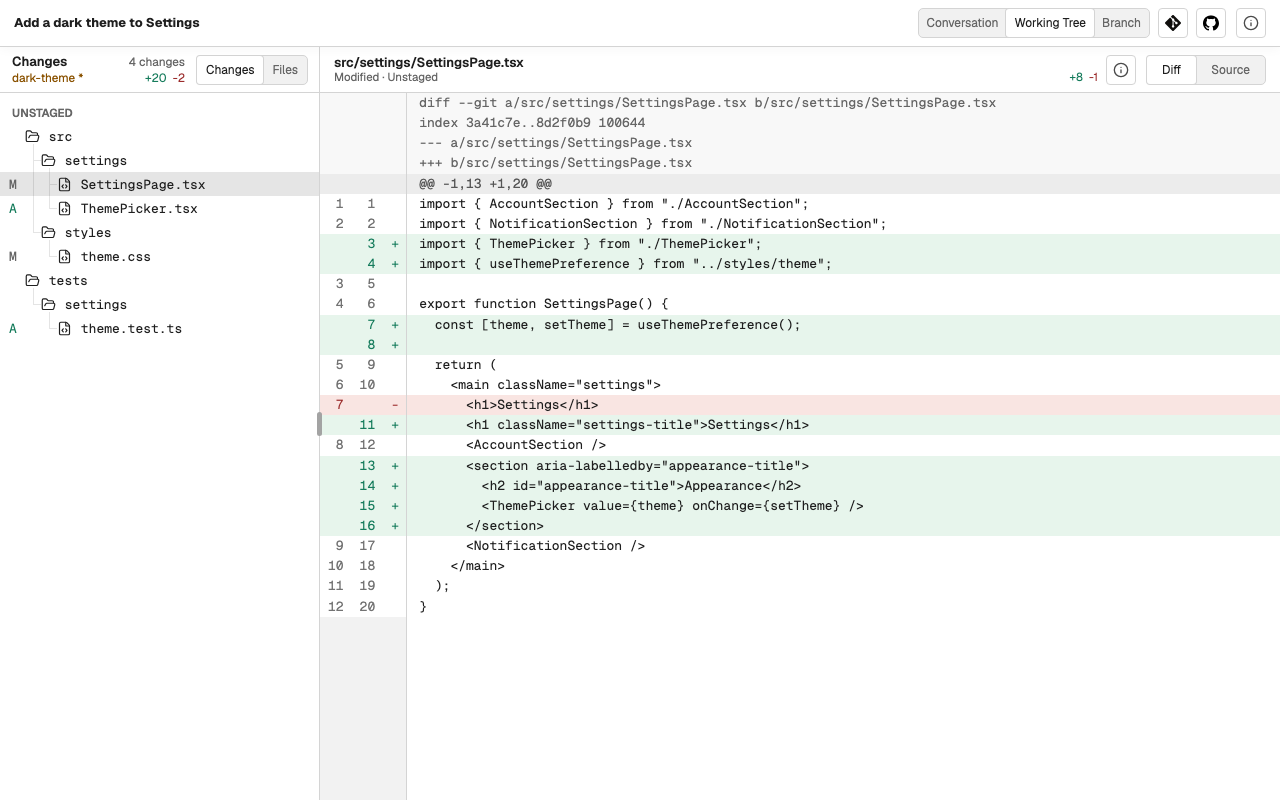
The answer is only the agent's summary. Next to every conversation, Caffold keeps the repository it worked in:
- the uncommitted changes and the branch, file by file, with their diffs;
- comparisons between any two refs, and the commit history;
- the repository's Issues and Pull Requests, each of which can start a Task.
Any screen, the same Task
A desktop, a foldable, a tablet, and a phone all open the same Tasks. The layout changes with the screen, the work does not.
- Reach the Mac privately from your other devices with Tailscale.
- Install Caffold as an app and get notified when a turn ends or an approval waits.
- Attach files and screenshots to any prompt.
- Dictate prompts, on the Mac or with your own speech-to-text key.
- Run actions and scroll from the keyboard on a desktop.
Your Mac, your data
Caffold is not a hosted service. The agents, your repositories and credentials, and the conversations stay on the Mac you run it on. Other devices reach it through your own private network, and nothing leaves the Mac for voice input or permission review unless you turn it on.
Install Caffold
Caffold runs on Apple silicon Macs with macOS 14 or later.