Approvals
An agent asks before it does something its approval mode does not already allow, such as running a command, reaching the network, or writing outside its workspace. Caffold puts the request in the conversation and the turn waits for your answer.
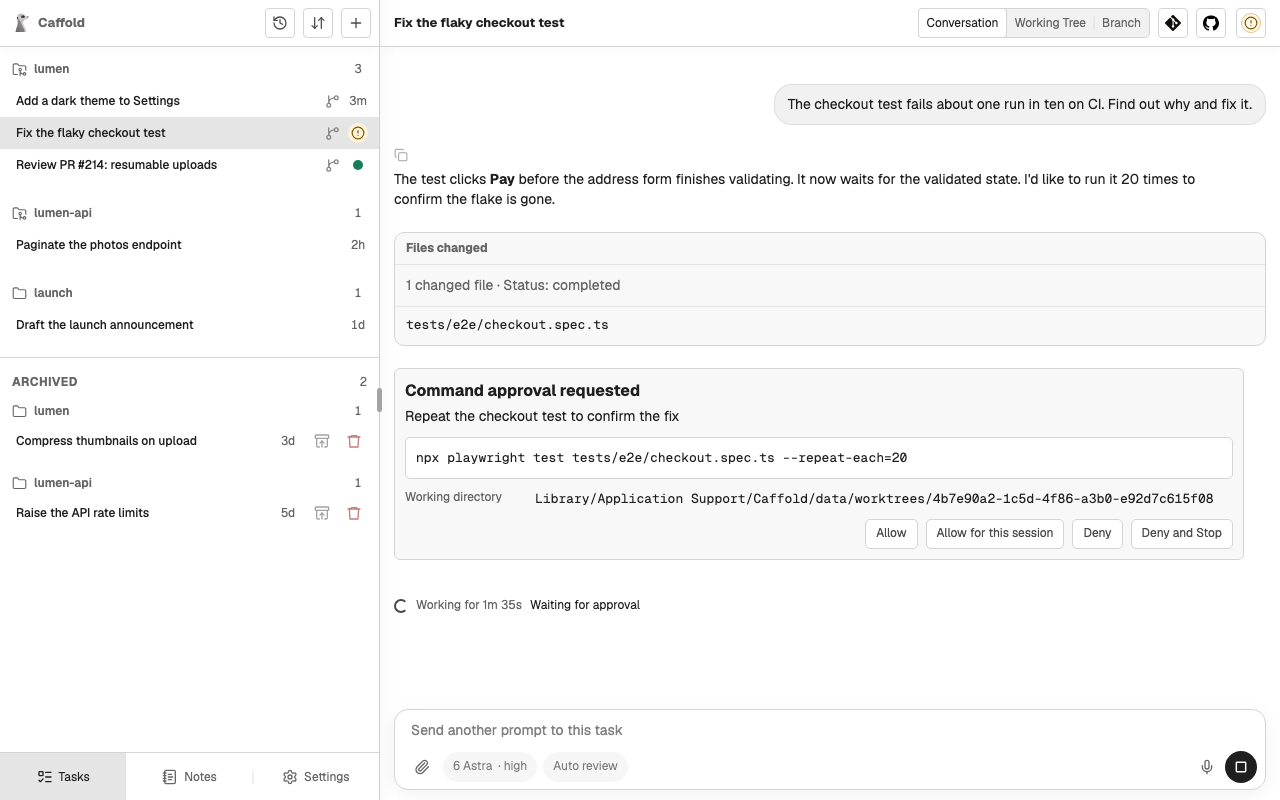
Answer a request
The request shows what the agent wants to do, in the agent's words: the command and the directory it runs in, the network destination, the access it asks for, or the tool and its arguments, with the agent's reason. Choose one of the answers it offers. Which answers appear depends on the agent and the kind of request:
| Answer | What it does |
|---|---|
| Allow | Allows this request once. |
| Allow for this session | Codex: allows requests like this one for the rest of the session. |
| Allow Always | Allows it now and keeps the rule the agent proposed, so the agent stops asking. Grok keeps that rule for the working directory, shared by every Caffold Task there. |
| Deny | Refuses the request. Codex and Claude Code carry on without it; a Grok turn ends. |
| Deny and Stop | Refuses the request and stops the turn. |
| Cancel | Skips a Codex tool call without stopping the turn. |
A refused request reads as declined in the conversation. While a request is waiting, the Task list shows the Task as waiting for approval, and a notification can tell you.
When an agent wants to ask you a question rather than ask for permission, Caffold has it ask in the conversation. Answer it in the Composer like any other message.
Caffold's own tools, which name the Task, prepare a worktree, and keep Notes, run without an approval request.
Approval modes
The approval mode decides how much the agent asks. The button beside the model in the Composer shows the current mode, for example Auto review, and opens the Permissions menu. Each agent offers its own modes, from asking before most actions to never asking, and the menu lists the ones the chosen agent and model offer, each with a short description. Modes that give up the protection of asking are marked in red.
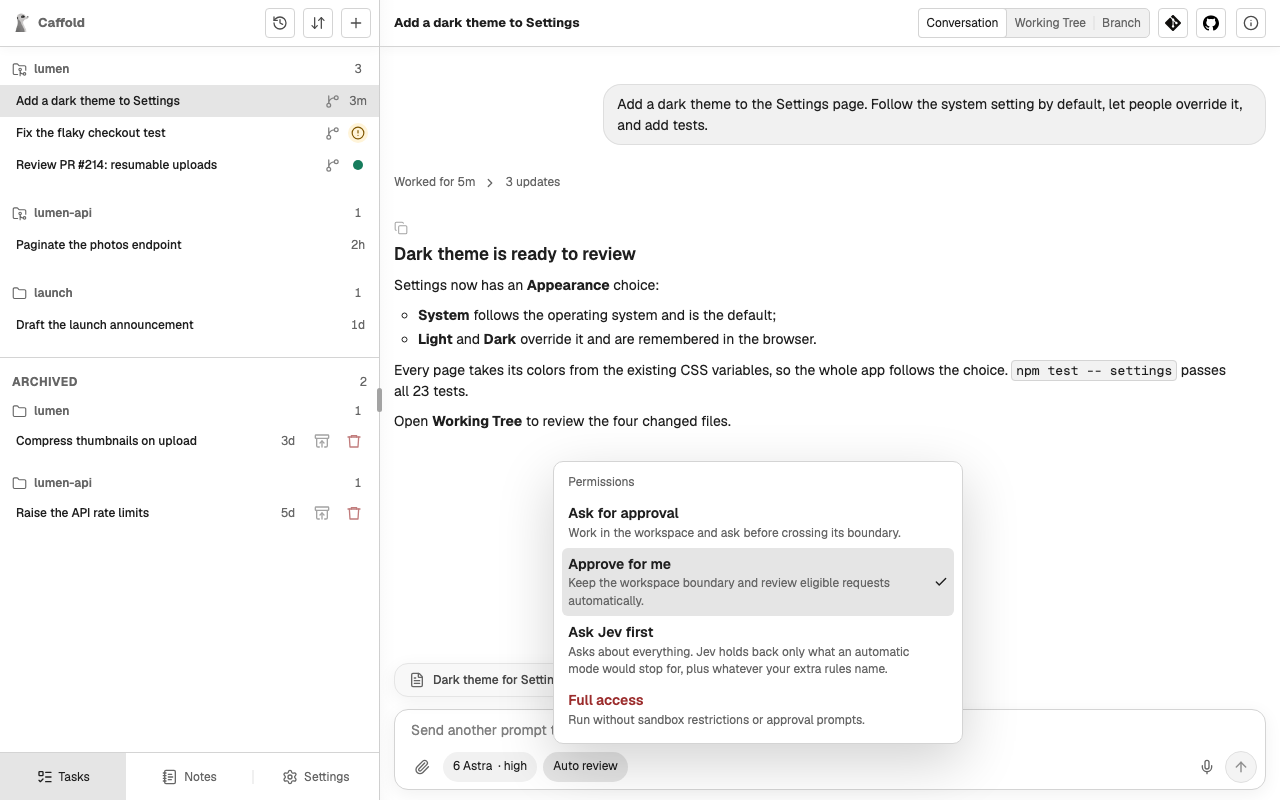
- The next turn always runs under the mode the Composer shows.
- In a Codex or Claude Code Task you can change the mode between turns.
- A Grok Task fixes its mode when its conversation starts. Its Composer shows the mode but cannot change it; start a new Task to use another mode.
Every agent's menu also offers Ask Jev first, a mode of Caffold's own in which Jev answers the routine requests and leaves the rest to you. See Ask Jev first.