Follow a conversation
A Task's Conversation shows the agent's conversation as it happens: your prompts, the agent's messages, the work it does, and the approvals it asks for.
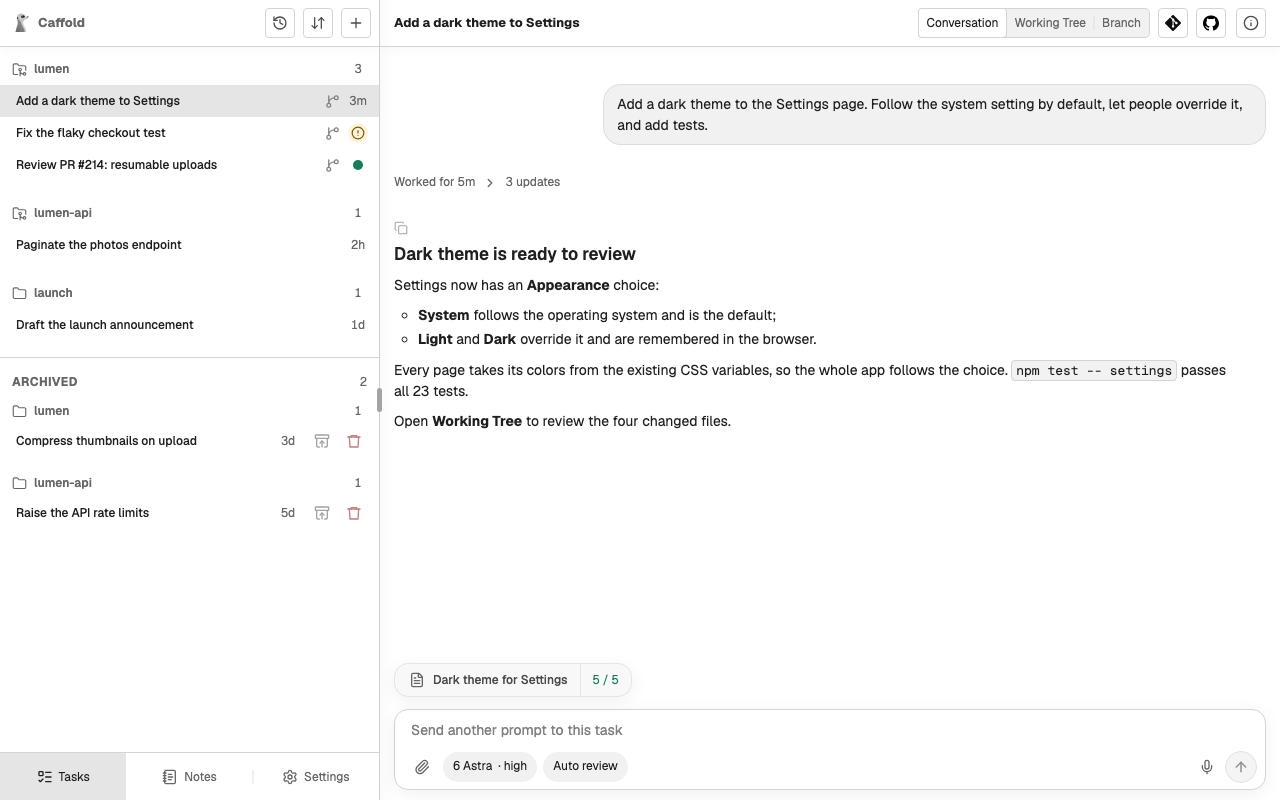
What the conversation shows
- Your prompts, as you sent them, with their attached files.
- The agent's messages, formatted as Markdown. While a turn runs, its progress messages appear as they arrive.
- The work: commands with their output, changed files, reasoning summaries, and tool calls. When a turn finishes, its work folds into one Worked for line with the number of updates; choose it to unfold the work.
- Approval requests and how each was answered. See Approvals.
- How each turn ended: completed, interrupted, or failed, with the error the agent reported.
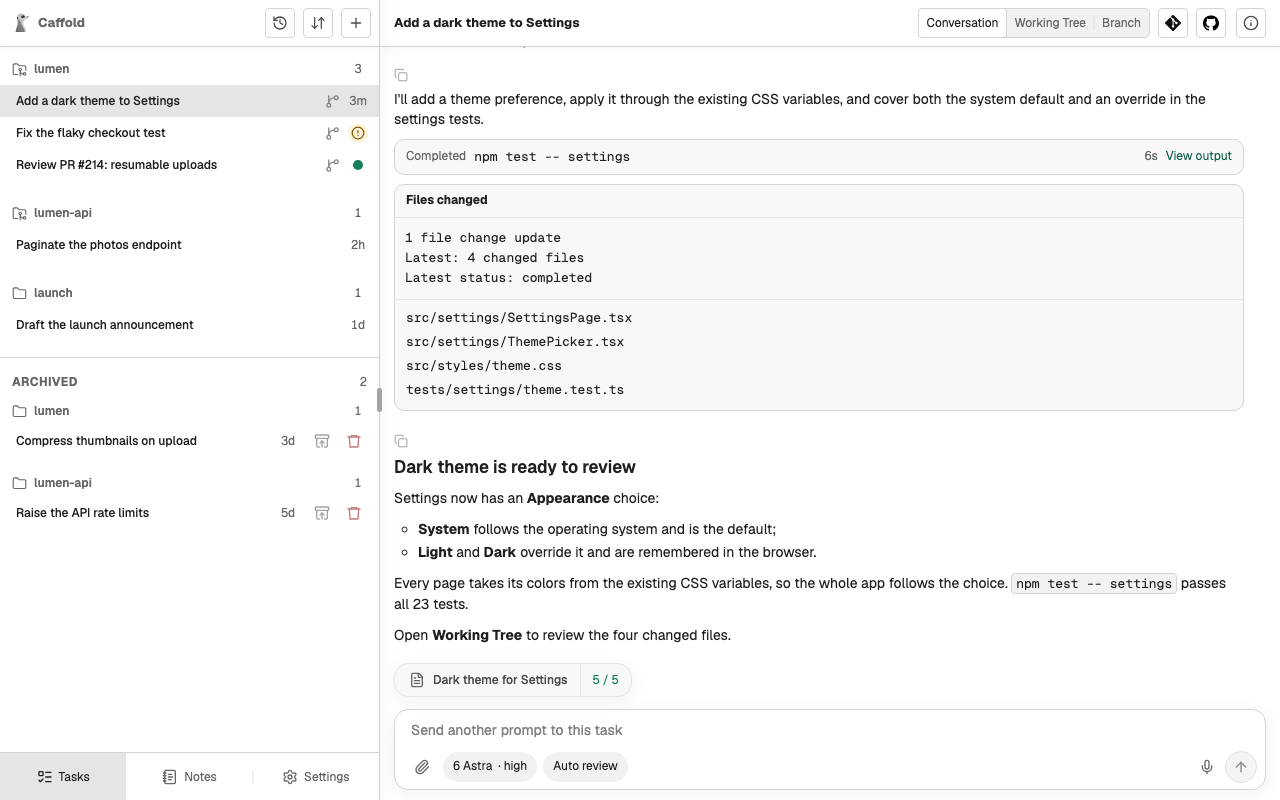
View output on a command opens its full output.
Copy an answer
Every message from the agent has a Copy message button, which copies the message as Markdown.
Earlier history
Scroll to the top of the conversation, or choose Load older messages, to load earlier turns.
Coming back to a Task
The Task list shows where each Task stands:
- a spinner while a turn is running;
- an alert when the Task is waiting for your approval, a question mark when it is waiting for your answer, and a warning when its turn failed;
- a dot when a turn finished since you last opened the Task;
- otherwise, how long ago its last turn finished.
To be told when a turn ends or an approval is waiting, turn on Notifications.